
Almost every moderation bot is built for one audience: the staff. The person on the other end of a warning or a ban is just a row in someone’s log — no view, no voice, and no way to even tell what was decided about them. If they want to appeal, they’re sent off to a second server or a form, and the trail goes cold.
Archivian flips that around. Every Discord user gets their own personal dashboard — a home for their side of moderation that follows them across every server they share with Archivian.
A home that’s yours, not a server’s
Sign in and you land on your view — not a particular server’s control panel. A welcome banner says it plainly: this is the view for your personal Discord account. From here you can see what’s happened to you, jump into any server you help run, and manage your own settings.
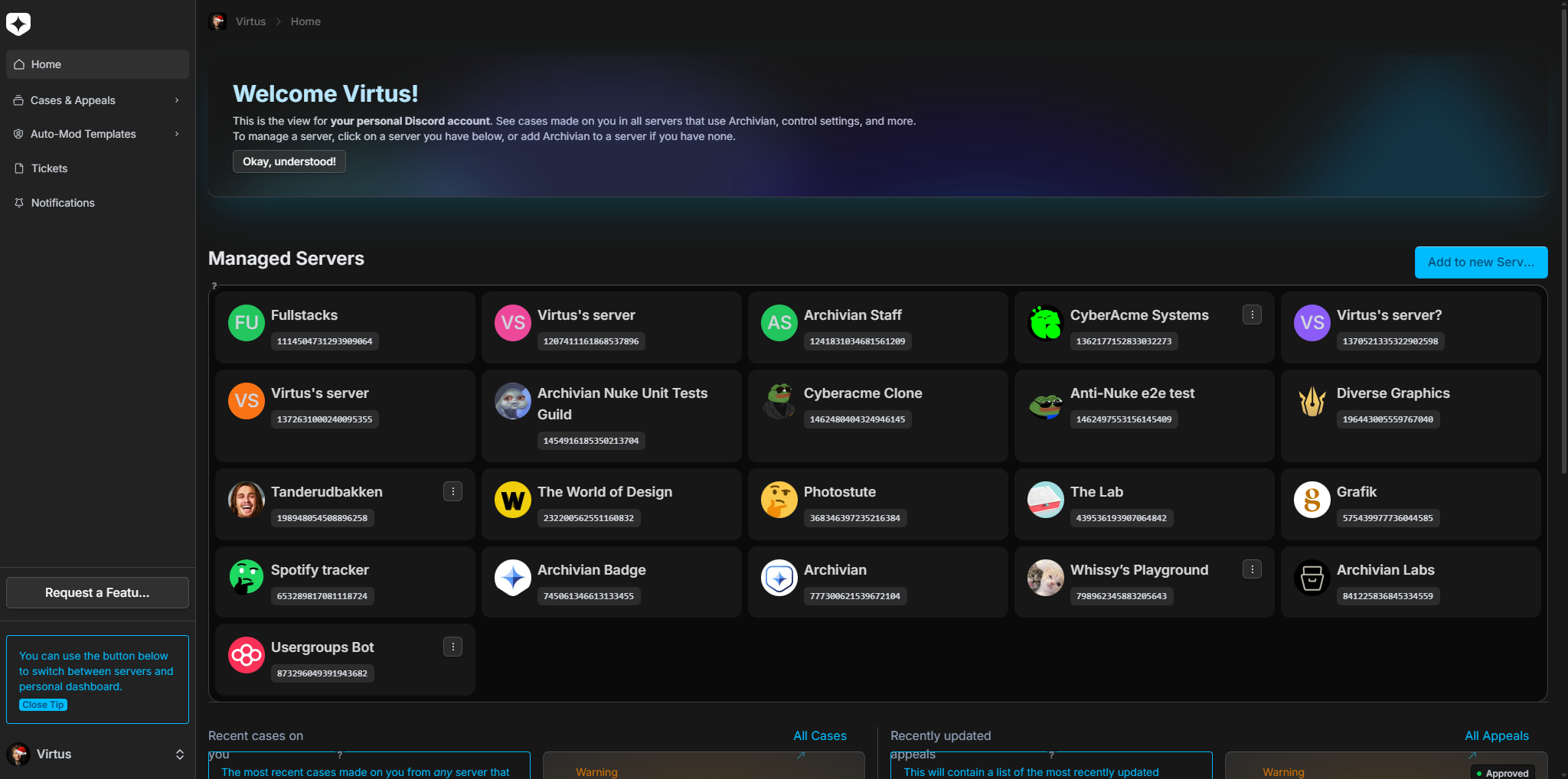
If you also moderate communities, the same place lists the servers you’re staff in and lets you switch into any of them — or add Archivian somewhere new — without leaving your account. The personal dashboard is the hub; individual server dashboards hang off it.
Every case made on you, in one place
This is the part other bots simply don’t offer. Your dashboard gathers the cases made on you across every server that uses Archivian — warnings, timeouts, kicks, bans, and notes — into a single list, each tagged with the server it came from.
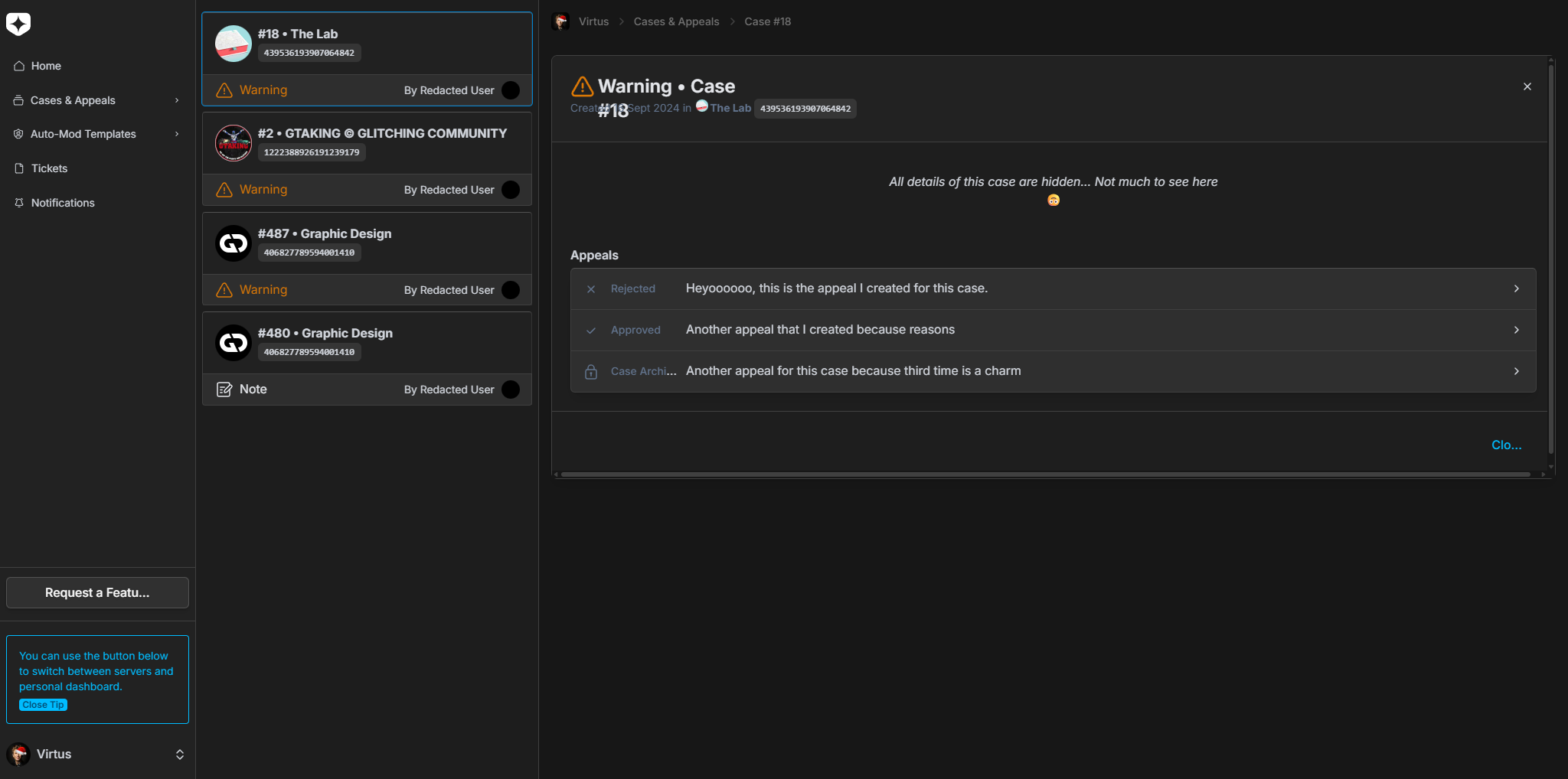
What you can actually see is always the server’s choice. A community can share a case in full, reveal only parts of it, or keep it hidden — and the dashboard respects that, even down to hiding who created the case.
Appeal — and actually follow what happens next
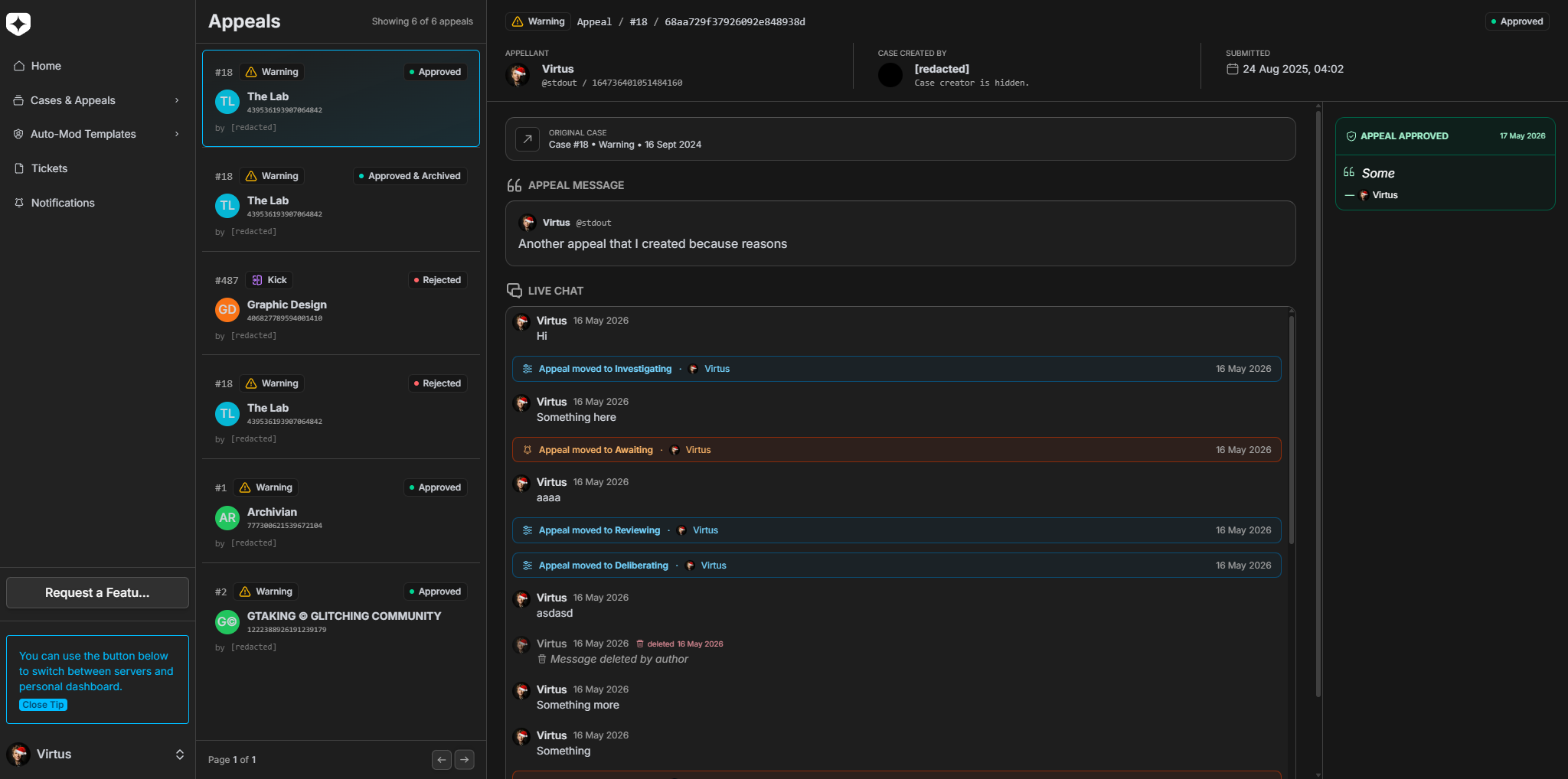
When a case is eligible, you can open an appeal right from the case — no invite to a separate appeal server, no Google Form. The appeal lives on your dashboard, tied to the original case, and you can watch it progress instead of staring at silence.
Open an appeal from the case
Find the case on your dashboard and start an appeal. Only one open appeal can exist per case at a time.
Talk to staff in a live chat
Each appeal has a built-in two-way chat. You and the server’s staff message each other directly — no DMs from a banned account, no third-party channels.
See the status change in real time
As staff work through it, status updates — reviewing, investigating, deliberating, awaiting your reply — appear inline in the same conversation, so you always know where things stand.
Get the verdict on the record
When it’s decided, the verdict and the closing message are shown right there. Approve a ban appeal and Archivian even lifts the ban automatically.
Banned before Archivian arrived? Check anyway.
Old bans are a black hole: you can’t see the server, you can’t ask, and you certainly can’t appeal. Archivian’s personal dashboard lets you check whether you’re banned in a server and, where the server allows it, appeal retroactively — Archivian creates the case record on the spot if one doesn’t exist yet.
Decide how you hear about it
You shouldn’t have to keep refreshing a page to learn an appeal was decided. From Notification settings, you choose how Archivian reaches you.
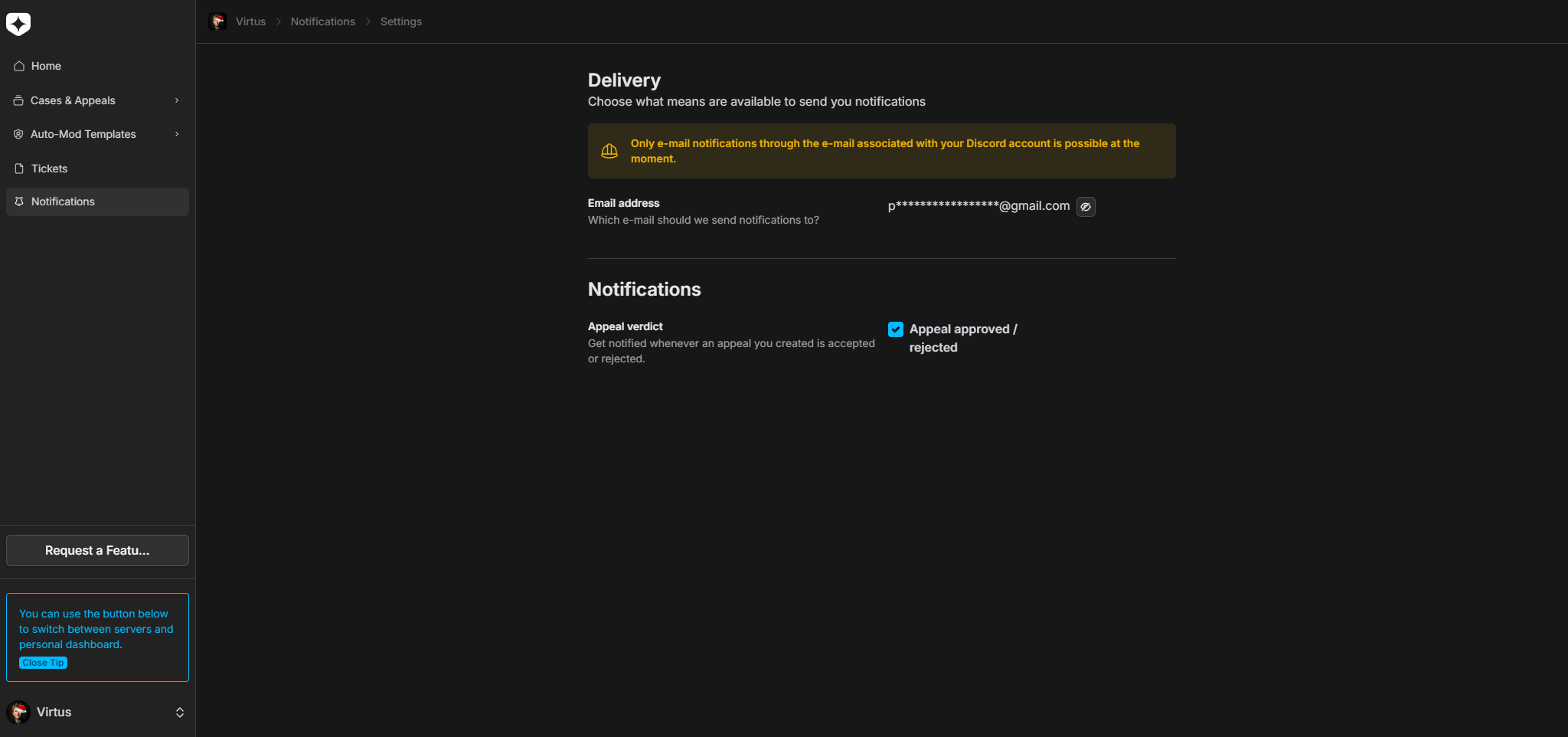
Today you can get an email when an appeal you made is approved or rejected, sent to the address tied to your Discord account. It’s opt-in, and more delivery channels and event types are on the way.
Why it matters
Moderation has two sides, but most tools only build for one. By giving every user a real home — their cases across all servers, a way to appeal and actually follow it, a check for old bans, and notifications on their own terms — Archivian makes moderation something that’s done with people, not just to them. That transparency builds trust on both sides of the ban button, and it’s something other bots simply don’t offer.