
Most servers meet their first raid with nothing but Discord’s built-in verification level and a bit of hope. By the time a moderator notices a hundred fresh accounts pouring in, the spam is already in the channels and the clean-up has begun.
Archivian’s Verification Gate flips that around. It looks at every single join the moment it happens and decides — automatically — who walks straight in, who has to prove they’re human first, and who doesn’t get a foot in the door at all.
Every join is sorted into one of three lanes
The moment someone joins, Archivian checks them against your rules from strictest to loosest. The first lane that matches decides what happens to that join — and there are three of them: High Risk, Medium Risk, and Low Risk.
Flip the switch at the top of the page to turn the gate on, and Archivian starts screening new joins right away. Each lane is its own tab, so you can set up exactly how strict (or relaxed) you want to be.
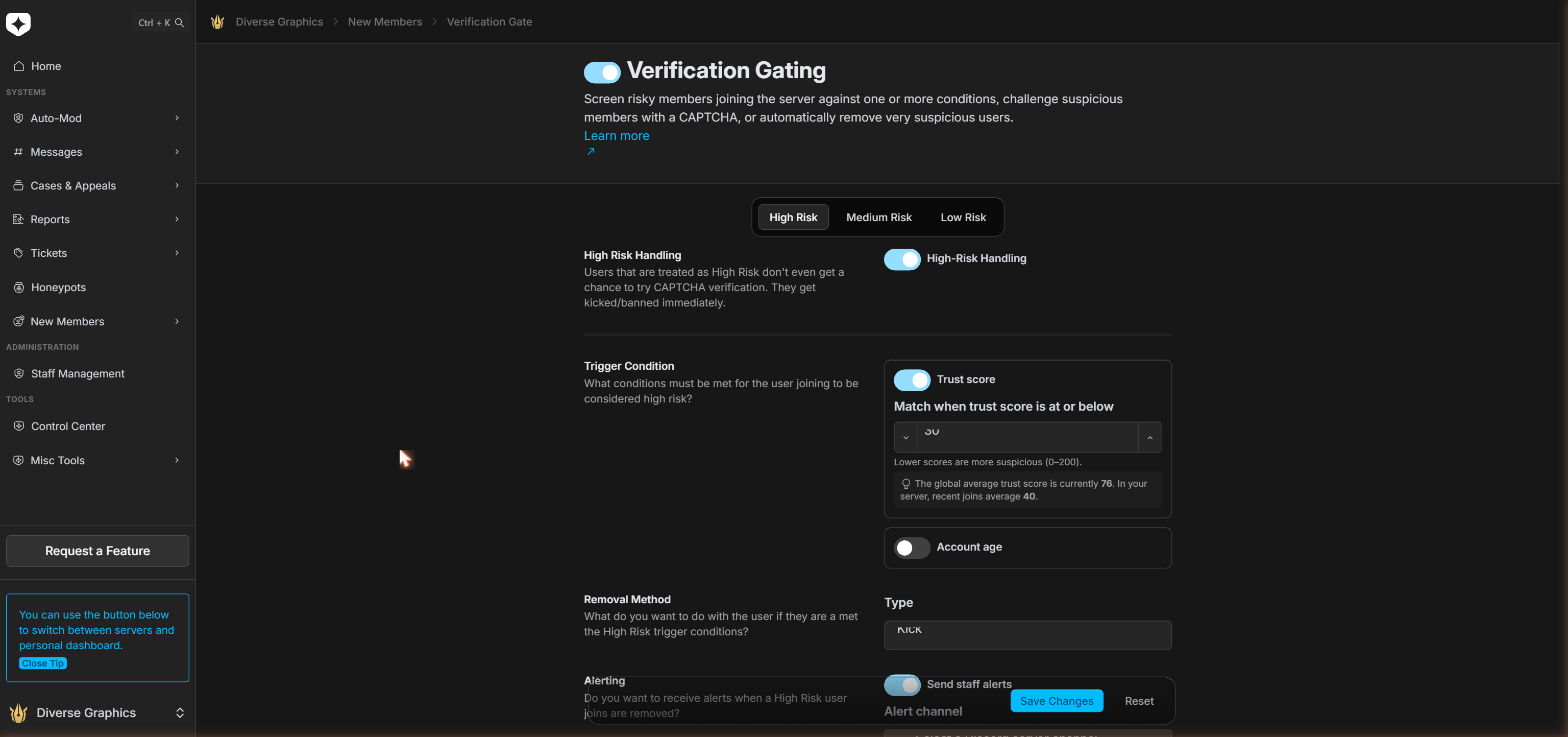
What makes a join look risky?
Both the High Risk and Medium Risk lanes use the same two conditions, which you can use on their own or together.
The first is a trust score — a 0–200 rating Archivian works out for every account as it joins, where lower means more suspicious. You set the line (“flag anyone at or below this number”), and here’s the genuinely useful part: Archivian shows you the current average score across all servers and your own server’s recent average right next to the box. So you’re picking a number against real data instead of guessing in the dark.
The second condition is account age — flag any account younger than an age you choose (an hour, a day, a week). Turn on either condition, or both. With both switched on, a join has to match both before that lane acts on it.
Lane 1 — High Risk: no second chances
High-risk joins are the ones you never want near your members in the first place. They don’t get a CAPTCHA and they don’t get a waiting period — they’re removed the instant they join.
You decide how: a Kick (they can come back if they’re legitimate) or a Ban (permanent, or for a set length of time). Switch on staff alerts and your team gets a heads-up in the channel you choose, so you can see exactly who was stopped and why.
Lane 2 — Medium Risk: prove you’re human
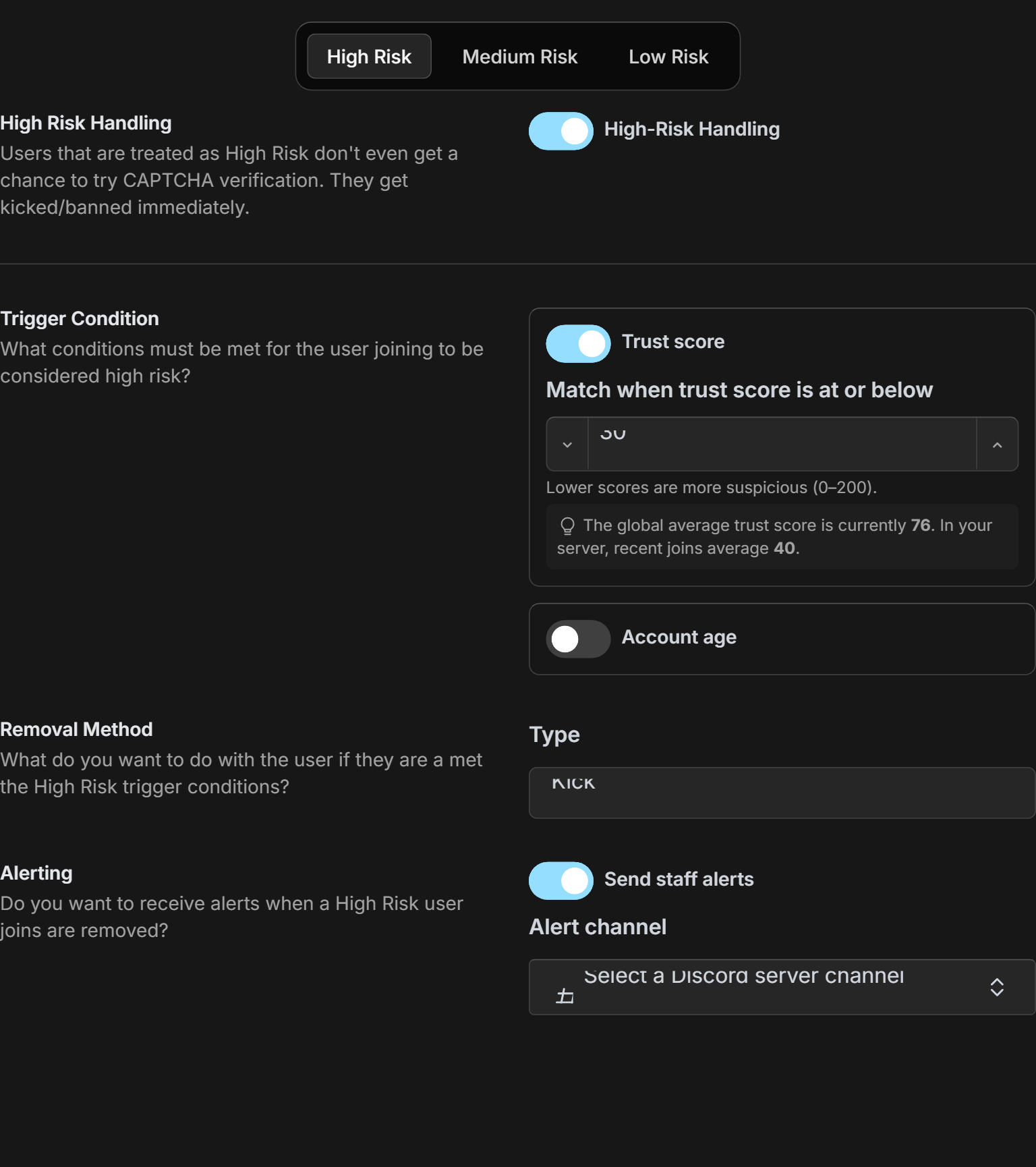
This is the lane for joins that look off, but not bad enough to remove on sight. Instead of kicking them, Archivian challenges them with an image CAPTCHA — they type back the text they see.
While they’re solving it, they’re held in place: the member is timed out, so they can’t post or interact until they pass. This works the moment you switch it on — there are no roles or channel permissions to wire up first.
You also set a completion deadline (ten minutes by default). If a member runs out of time, or gets the CAPTCHA wrong too many times, the kick or ban you chose is carried out automatically. There’s no quiet way through — every challenge ends one way or the other.
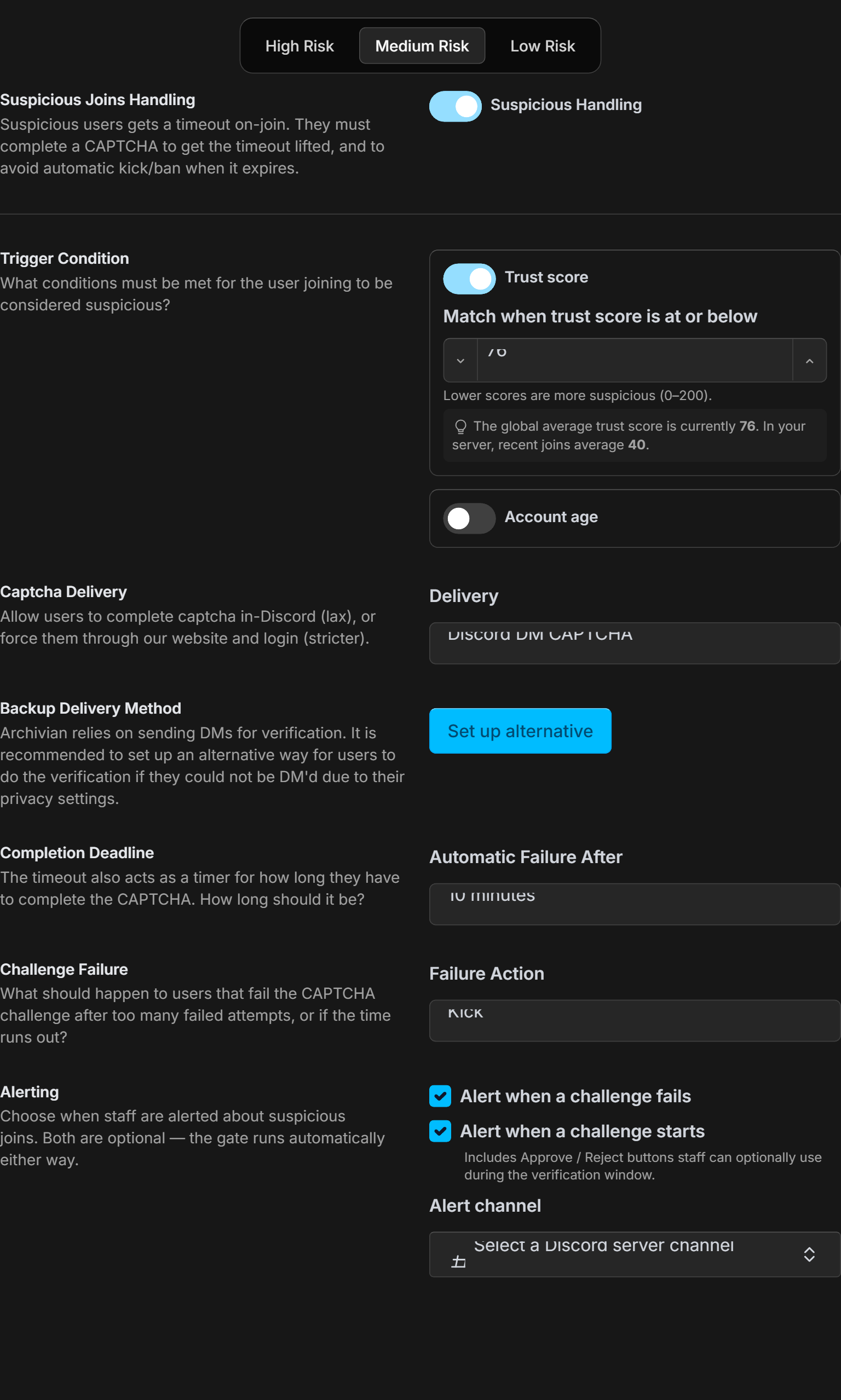
You can choose where the challenge is delivered. Discord DM is the easy route — the CAPTCHA arrives in the member’s direct messages. Or send them to the Archivian website, where they have to sign in first, for a stricter check.
When you can’t reach someone by DM
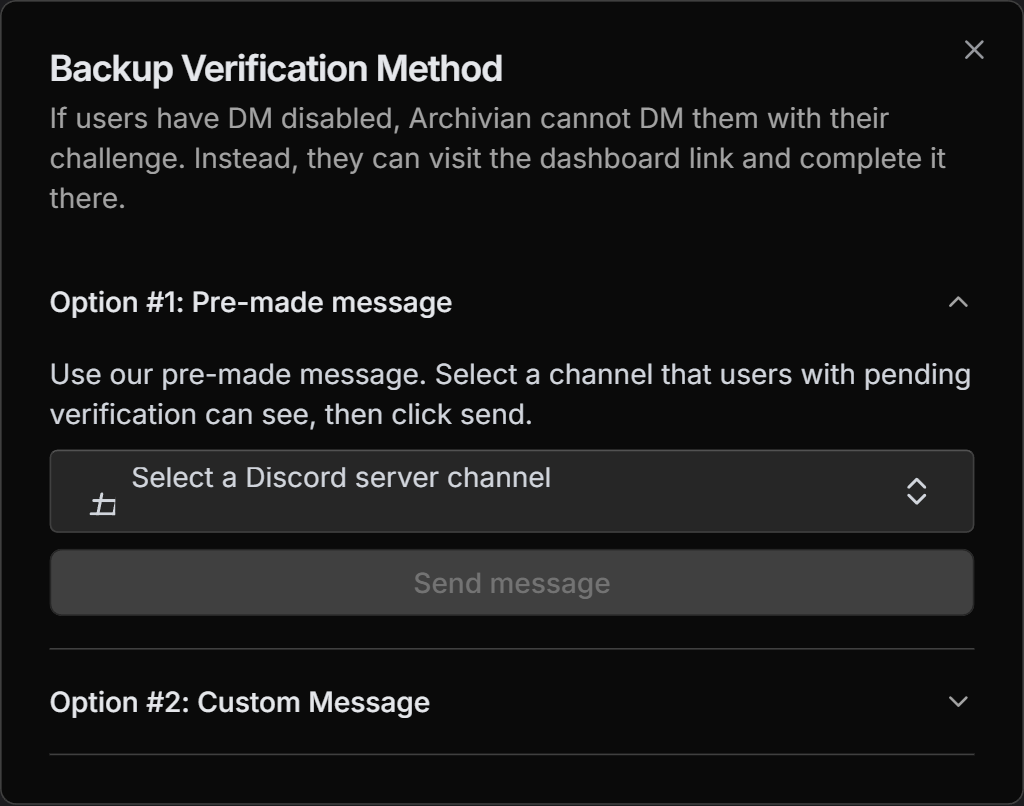
There’s one catch with DM delivery: plenty of people have direct messages turned off, and Archivian can’t reach them. So set up a Backup Delivery Method. You can post a ready-made message into a channel that waiting members can see, or write your own using a link you copy. Either way, a member with closed DMs can open the page, sign in, and complete the very same challenge.
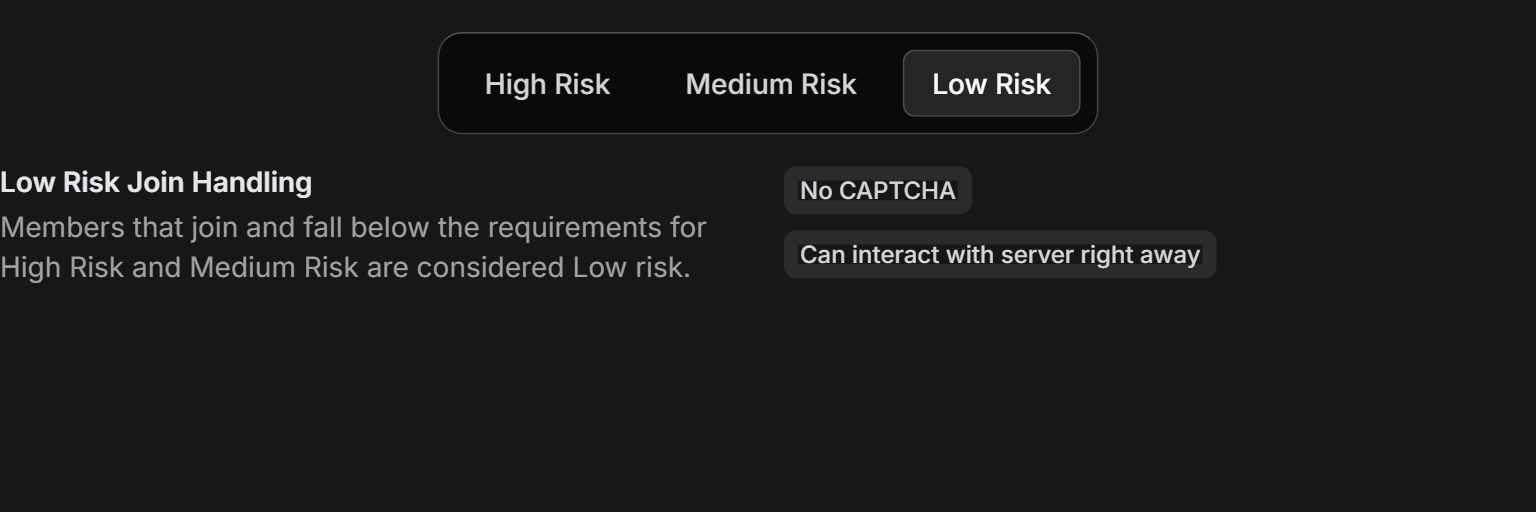
Lane 3 — Low Risk: straight in
Everyone who doesn’t trip the High or Medium conditions is treated as low risk, and that means no friction at all: no CAPTCHA, no timeout, no waiting. They join and start chatting like normal.
That’s the whole point of a graduated gate — it only gets in the way of the joins that look wrong, and stays completely out of the way for everyone else.
A second pair of eyes, if you want it
For the Medium Risk lane you can also be alerted the moment a challenge starts, not just when one fails. That alert comes with Approve and Reject buttons, so a staff member who recognises the person can let them straight through — or remove them — without waiting for the CAPTCHA to play out. Both alerts are optional; the gate runs perfectly well on its own.
Why it matters
All-or-nothing raid protection forces an ugly choice: lock the gates so tight that real newcomers bounce off a CAPTCHA wall, or leave them open and hope. The Verification Gate refuses that trade-off. The worst joins are gone before they arrive, the questionable ones have to prove themselves, and genuine members never notice it was there — all decided automatically, on every join, the second it happens.