
Discord’s built-in Auto-Mod is powerful, but its blank rule editor is intimidating — and the people you’re trying to keep out are sharing bypass tricks faster than any one moderator can patch them. New slur spellings, the latest Steam phishing wording, zalgo spam: by the time you’ve hand-crafted a regex for one, three more variants are circulating.
Archivian has first-class support for Discord’s own Auto-Mod, and on top of it, a shared template library so you never start from a blank page.
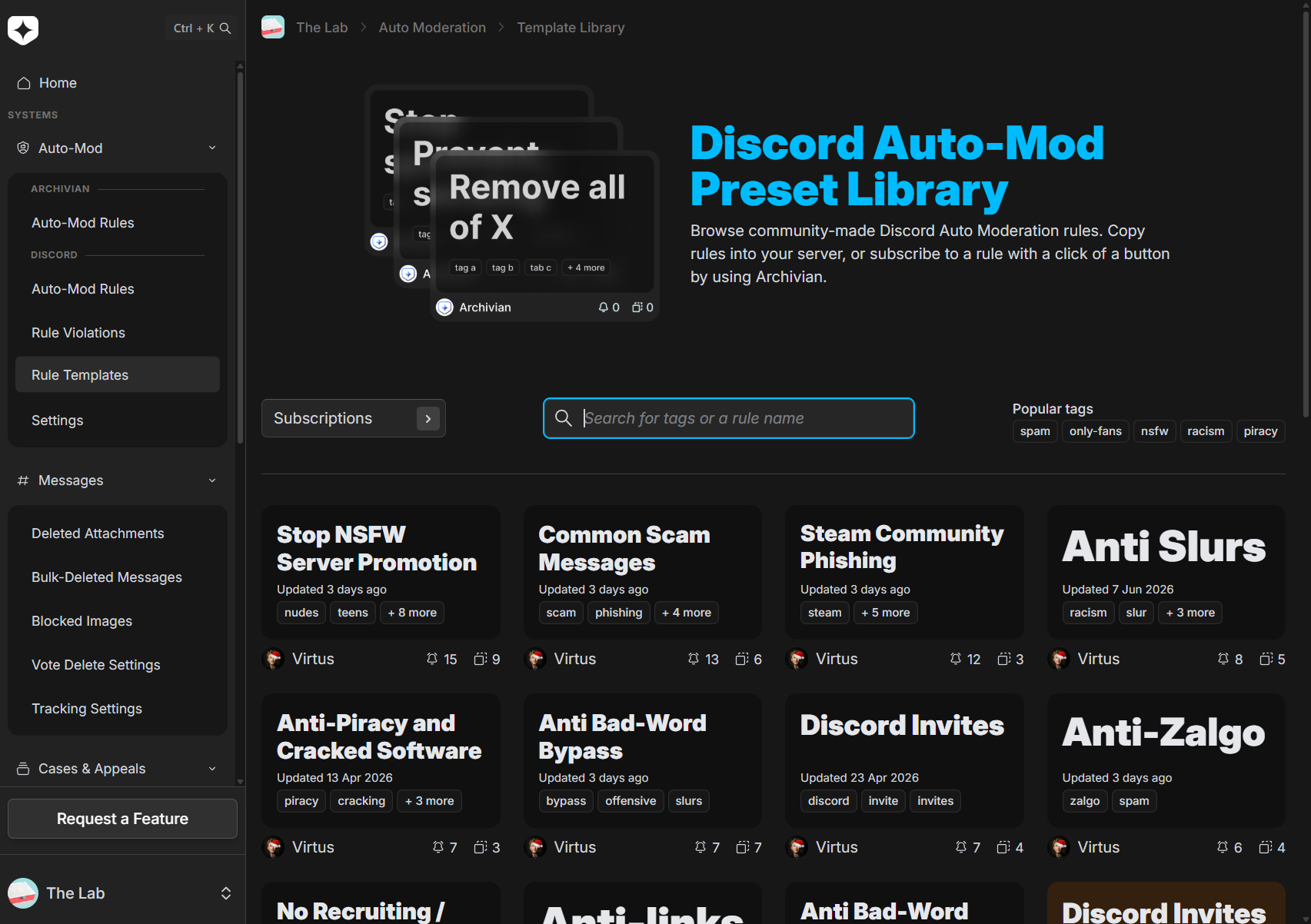
A library you can browse before you commit
The template library is a collection of premade and community-made Discord-native Auto-Mod rules — and you can browse the whole thing without even logging in. Have a look, see what’s covered, and decide whether Archivian is worth adding before you sign up for anything.
Rules cover the stuff every server fights: things like Prevent Slurs, a Slur Bypass Filter, Steam Phishing, No Zalgo, blocking “Hire Me” spam, and Anti-NSFW-Server advertising.
Copy it, or subscribe to it
When you add a template to your server, you choose how attached you want to stay:
Browse the library and pick a template
Find a rule set that fits — for example, a slur filter or a phishing-link blocker.
Copy it, or subscribe to it
Copy drops a one-time snapshot of the rule into your server’s Discord Auto-Mod. Subscribe does the same but keeps a link to the template, so you can pull in improvements later.
It's live in Discord Auto-Mod
The imported rule runs as a native Discord Auto-Mod rule — no extra bot in the loop for enforcement.
Updates arrive — and you decide
When a template you subscribe to is improved, Archivian lets you manually review the changes before applying them. Nothing is silently rewritten under you.
Bring your own rules into the library
The library isn’t a one-way street. You can convert your own Discord Auto-Mod rules into templates — to reuse across your servers, share with others, or just manage centrally.
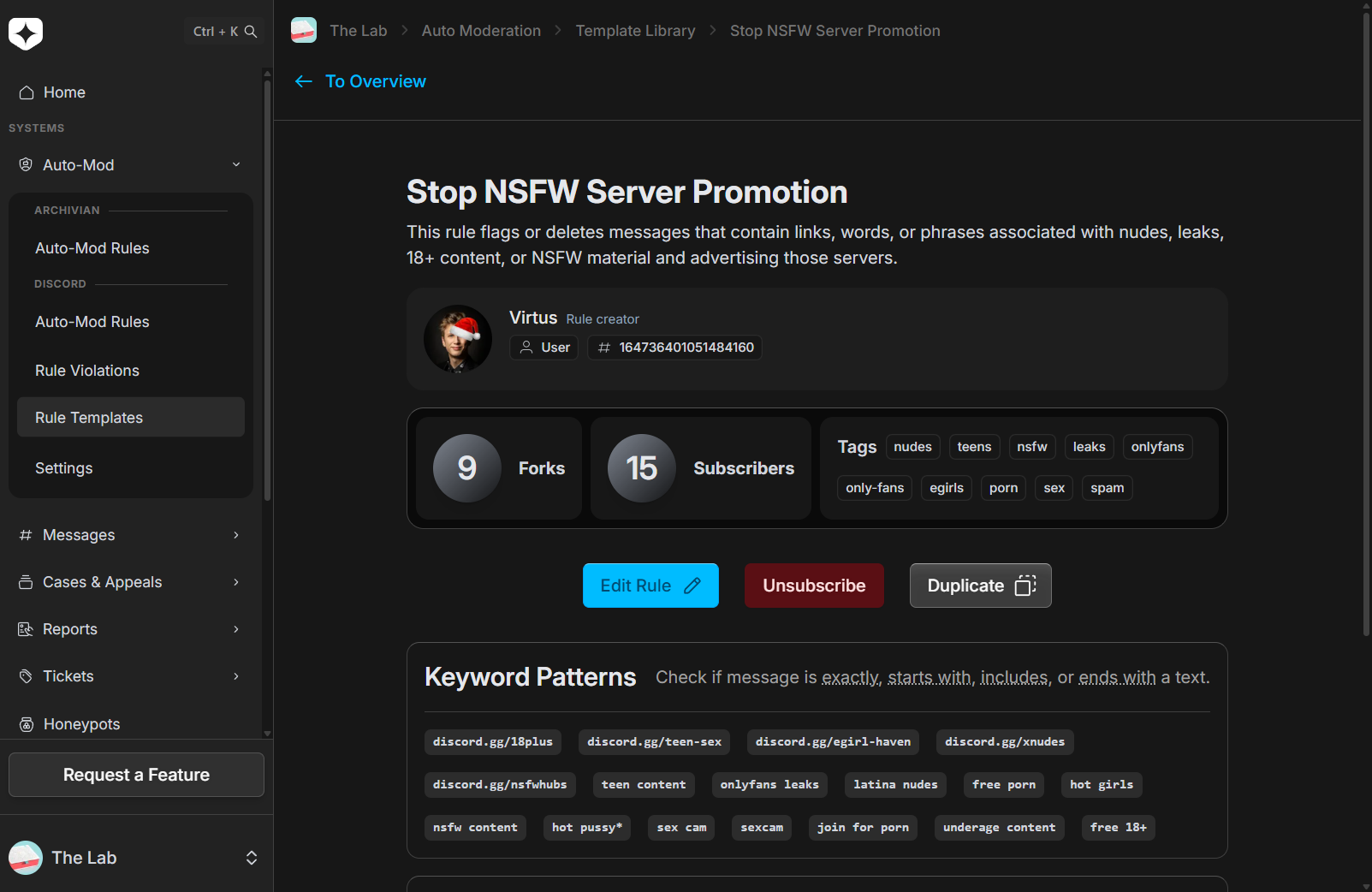
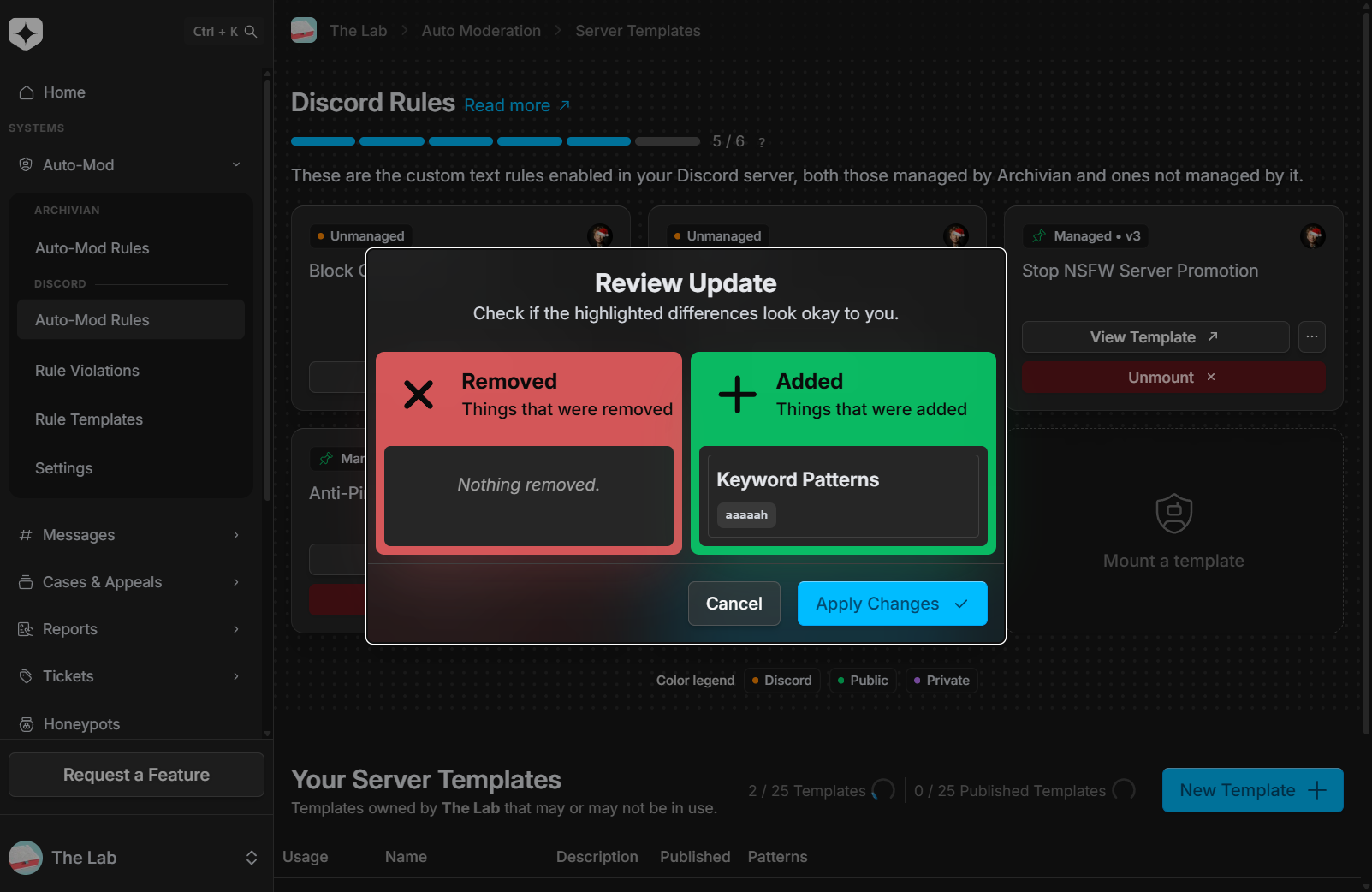
You can keep personal template collections and server-managed templates, and manage your Discord Auto-Mod text rules right from the dashboard rather than clicking through Discord’s settings.
Know when something changes
Auto-Mod is the kind of thing you set up and forget — until it quietly stops matching what raiders are doing now. Archivian can alert you when something happens with your templates, or when an update becomes available for one you’re subscribed to, so your filters don’t silently fall behind.
Why it matters
Moderation knowledge is hard-won and usually trapped in one server’s config. A shared, browsable library turns “someone, somewhere has already solved this” into a button — and the subscribe-with-review model means you keep that knowledge current without ever losing control of your own server.